Huawei’s official website details eSIM: It functions the same as a physical SIM card and allows you to add two additional numbers.
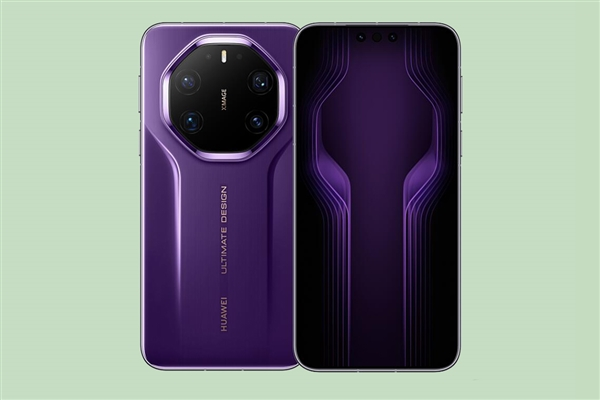
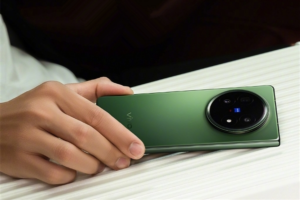
Huawei’s official website provides a detailed introduction to the eSIM function of its mobile phones. Currently, only the Mate 80 RS Master supports eSIM among Huawei phones, which can add two additional mobile phone numbers without being limited by the physical SIM card slot.
It is understood that eSIM is short for embedded SIM. eSIM is an upgrade and evolution of physical SIM cards. After using eSIM, you can activate the number provided by the mobile network operator without a physical SIM card.
eSIM and physical SIM cards offer the same mobile phone service functions, supporting voice calls, SMS sending and receiving, data access, and other communication functions, and allowing for the activation of services such as international roaming as needed. Compared to phones that only support physical SIM cards, eSIM allows for the addition of two additional numbers on top of the existing dual physical SIM cards, without being limited by the physical SIM card slot.
Currently, only China Mobile, China Unicom, and China Telecom offer eSIM services; China Broadcasting Network has not yet launched eSIM services. Currently, eSIM services can only be applied for in person at authorized service centers. Applicants must bring their eSIM-enabled mobile phone and ID to the corresponding service center to apply for the eSIM service. For details, please consult your operator.
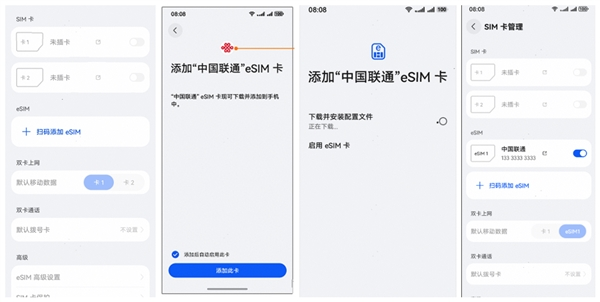
Huawei eSIM activation entry point:
1. Open System Settings – Mobile Network – SIM Card Management – Click “Scan to Add eSIM”;
2. Scan the QR code (must be obtained at the operator’s location);
3. Click “Add this card”;
4. Download complete;
5. After returning to SIM card management, the corresponding operator name will be displayed.

Kazam is Focused on creating and reporting timely content in technology with a special focus on mobile phone technology. Kazam reports, analyzes, and reviews recent trends, news and rumors in mobile phone technology and provides the best possible insights to enhance your experience and knowledge.